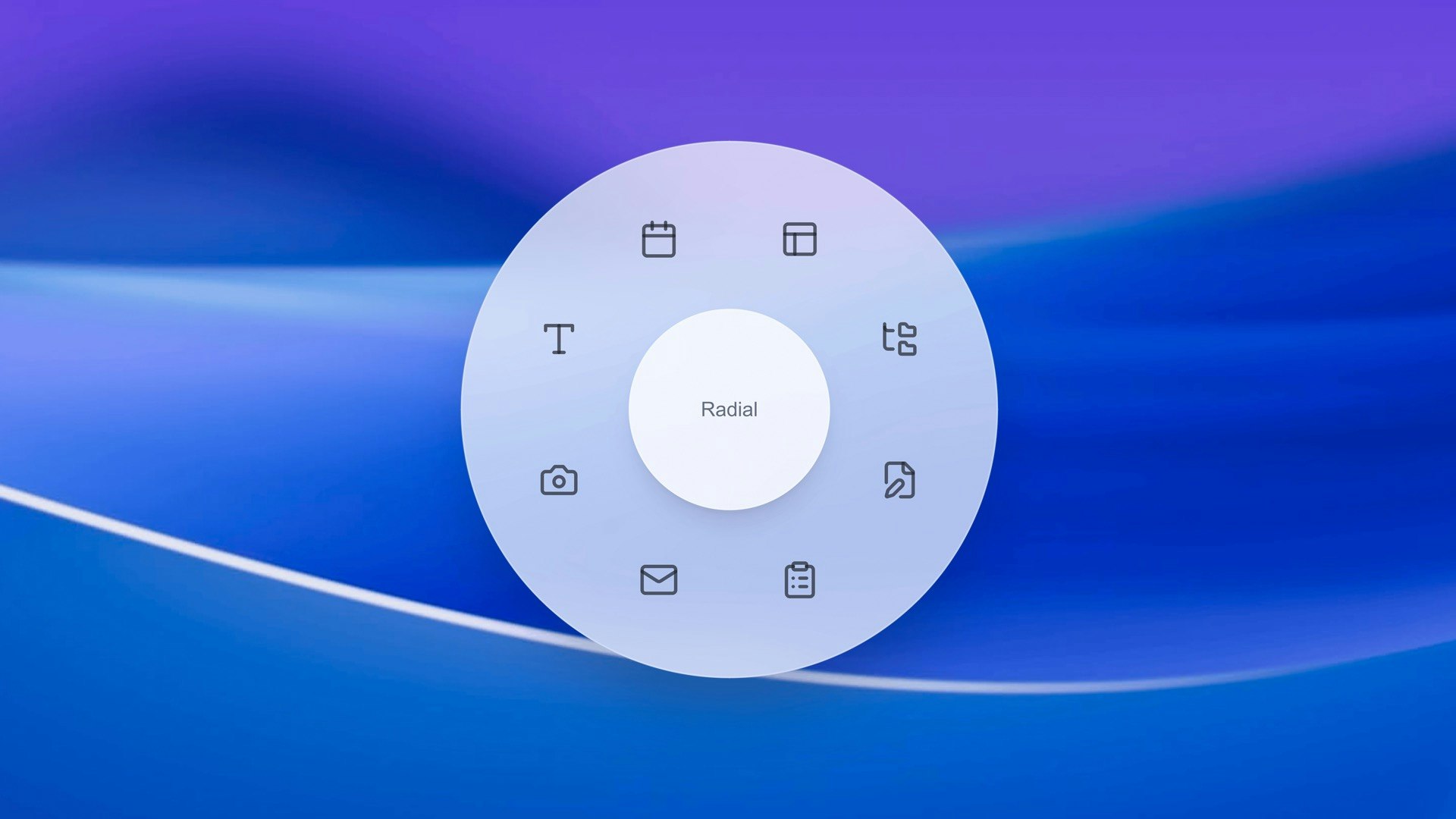
Radial Review: Unlocking Hyper-Efficient Shortcuts with a Single Gesture on macOS
Your shortcuts, one gesture away
发布时间: 1/2/2026
Product Overview: Reimagining macOS Productivity
Radial is a slick, modern utility designed to revolutionize how power users interact with their Macbooks and iMacs. Tagged as "Your shortcuts, one gesture away," Radial introduces a sophisticated pie menu system to the macOS environment, allowing users to assign complex actions and macros to intuitive mouse or trackpad gestures. Forget hunting through endless menus or relying on static keyboard shortcuts that you constantly forget; Radial brings your most crucial workflows to the forefront of your interaction model.
This tool targets professionals, developers, designers, and writers—anyone whose daily workflow involves repetitive actions, application switching, or complex system commands. The core value proposition of Radial is speed and contextuality. By mapping powerful automation sequences onto simple, visually appealing radial menus, it drastically reduces the cognitive load and physical movement required to execute daily tasks, making it a serious contender in the macOS productivity software space.
Problem & Solution: Breaking Free from Keystroke Limitations
The fundamental problem Radial solves is the inherent inefficiency of traditional shortcut systems. While macOS offers built-in keyboard shortcuts, they are often limited in scope, difficult to memorize for dozens of applications, and require rigid, multi-key presses. Contextual actions, like "Resize window to 50% and open Terminal," often require third-party scripting or complex workflow apps that carry a steep learning curve.
Radial brilliantly addresses this by turning the mouse cursor itself into an input device for complex commands. Instead of a fixed menu, it provides a dynamic, context-aware pie menu that appears exactly where you need it upon performing a gesture. This solves the problem of accessibility and memorization simultaneously. By utilizing gestures (like holding the right mouse button and dragging slightly), users create muscle memory for entire workflows rather than just single keystrokes, effectively bridging the gap between simple shortcuts and full-blown macro automation tools.
Key Features & Highlights: Intuitive Macro Execution
The standout feature of Radial is its implementation of the modern pie menu interface. Unlike clunky older versions of radial tools, Radial’s design is clean, fast, and minimally intrusive, perfectly matching the modern macOS aesthetic.
The power behind Radial lies in its macro creation capabilities. Users aren't just limited to opening apps or launching URLs; they can define sequences of actions, enabling one gesture to trigger a complex, multi-step automation. Key highlights include:
- Gesture-Based Triggers: Assign custom mouse movements or trackpad swipes to launch specific menus.
- Customizable Menus: Build multiple radial menus tailored for different applications (e.g., a design menu for Figma, a coding menu for VS Code).
- Deep macOS Integration: Ability to trigger system actions, application controls, and custom scripts directly from the menu.
The user experience emphasizes immediacy. Once the macro is set up, accessing it feels like an extension of thought—a subtle flick of the wrist initiates complex multitasking routines that would otherwise take several clicks or key combinations.
Potential Drawbacks & Areas for Improvement
While Radial delivers a fantastic core experience, as a newer entrant in the productivity utility market, there are natural areas for refinement. Currently, the setup process for advanced macros might still require users to have a foundational understanding of macOS scripting or basic automation principles. While the tool simplifies execution, creating the underlying macros could benefit from a more visual, step-by-step workflow builder within the app itself, lowering the barrier to entry for non-technical users.
Furthermore, while gestures are fantastic, ensuring robust compatibility across all trackpads and third-party mice is crucial. Users might benefit from more granular feedback or visual guides during the initial gesture recording phase to ensure their desired movement is accurately captured every time. Expanding integration capabilities to include more niche SaaS tools or custom API calls in future updates would solidify its position as the ultimate shortcut manager.
Bottom Line & Recommendation
Radial is an exceptional productivity booster for dedicated macOS users who feel constrained by standard shortcut methods. If you spend significant time moving between applications, executing frequent, repetitive commands, or wish you had more powerful contextual controls mapped to your mouse, Radial is a must-try utility. It successfully delivers on its promise: making your most powerful shortcuts instantly accessible through a fluid, single gesture. This tool deserves a place in any serious macOS productivity stack, offering significant time savings and a genuinely delightful user interaction model.
Featured AI Applications
Discover powerful tools to enhance your productivity
MindMax
与AI互动的新方式
超越 AI 聊天,将对话转化为无限画布。结合头脑风暴、思维导图、批判性与创造性思维工具,帮助你可视化想法、高效解决问题、加速学习。
AI Slides
AI 驱动幻灯片,Markdown 魔法加持
革命性幻灯片创作,融合 AI 智能与 Markdown 灵活性 - 随处编辑,随时优化,轻松迭代。让每个想法,都能快速变成专业演示。
AI Markdown Editor
打开即写 - AI驱动的Markdown编辑器
极其高效的写作体验:AI助手、斜杠命令、极简界面。打开即用,轻松写作。✍️ Markdown简洁 + 🤖 AI强大 + ⚡ 斜杠命令 = 完美写作体验
FunBlocks AI Extension
🚀 AI驱动的浏览器扩展
用FunBlocks AI助手改变您的浏览体验。您的智能伴侣,为网络上的AI驱动阅读、写作、头脑风暴和批判性思维提供支持。