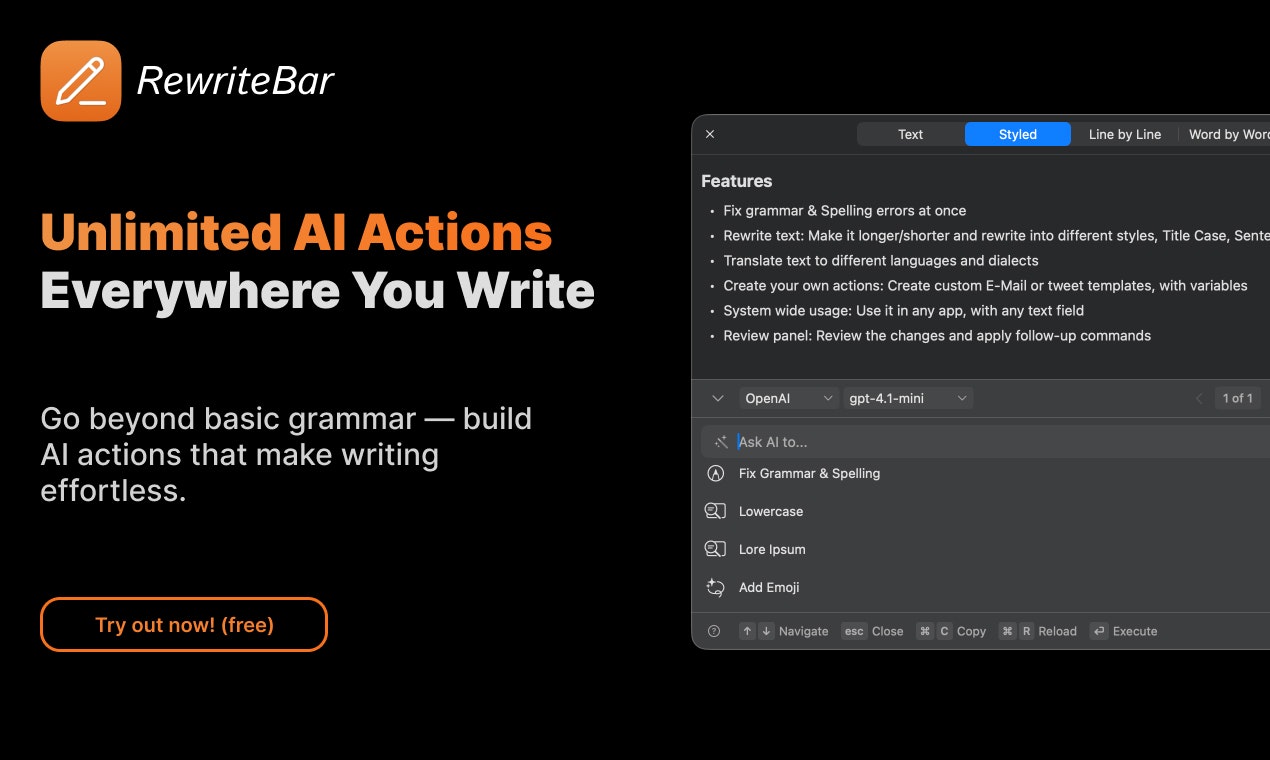
RewriteBar v2: Your AI Writing Companion for macOS, Now Smarter and More Integrated
Now With PopClip Integration, Followup Actions & Local AI
发布时间: 11/15/2025
RewriteBar v2 is the latest iteration of the lightweight macOS menubar application designed to significantly enhance your writing experience with the power of AI. This version introduces crucial integrations and expanded capabilities, making it an indispensable tool for anyone who writes on their Mac – from casual communicators to professional wordsmiths. By living in your menubar, RewriteBar v2 offers on-demand AI assistance across virtually any application, whether you're drafting emails, composing Slack messages, or even writing code. Its core value proposition lies in its ability to help users write better and faster, streamlining the writing process with intelligent suggestions and transformations.
Addressing the Gaps in AI Writing
Many existing AI writing tools, while helpful, often operate in silos or have limitations in their applicability across various macOS applications. RewriteBar v2 directly tackles this by providing a universal AI writing toolkit. It fills the gap for users who need consistent AI assistance without constantly switching applications or dealing with incompatible integrations. While tools like Grammarly are excellent for grammar, RewriteBar v2 extends beyond basic corrections, offering a more versatile and integrated solution for enhancing overall writing quality and efficiency. This version stands out by emphasizing privacy and performance through its support for local AI models and on-device processing.
Key Features and Highlights
RewriteBar v2 boasts a robust set of features that significantly improve its functionality and user experience:
- PopClip Integration: A highly requested feature, RewriteBar now seamlessly integrates with PopClip, allowing users to trigger AI actions directly from PopClip's floating menu after selecting text. This provides incredibly quick access to rewriting capabilities within almost any text input field.
- Followup Actions: This new capability in the review window lets users run additional tasks on their current AI-generated result without starting from scratch. You can directly input a new prompt or select from a list of commands like translating, changing tone, or summarizing, enabling a more iterative writing process.
- Local AI & Apple Intelligence Support: For enhanced privacy and potentially faster processing, RewriteBar v2 supports local AI models, including compatibility with LM Studio and even GitHub Copilot endpoints. It also offers beta support for on-device Apple Intelligence, aligning with future macOS developments and providing a more native AI experience.
- Full Workflow Templates & Custom Commands: Beyond basic grammar correction, RewriteBar v2 empowers users to create and utilize custom workflows. This means you can design specific commands for tasks like extracting key action points from text, transforming problem statements into actionable to-dos, generating placeholder text, or converting text into a professional email format. The app also provides a library of ready-to-use templates for common writing needs.
- Session History & Version Control: Users can now reopen previous rewriting sessions and even revert to earlier versions of their text, offering a valuable safety net and aiding in iterative content creation.
- Enhanced Review Window: The review window has seen significant improvements, offering a cleaner UI, better keyboard navigation, and the ability to choose and see the AI provider/model directly. It also supports streaming text, similar to popular AI chat interfaces, and includes visual change highlighting to show precisely what has been modified.
- Broad Language Support: RewriteBar supports translation to over 500 languages and can handle various dialects, making it incredibly versatile for global communication.
Potential Drawbacks and Areas for Improvement
While RewriteBar v2 brings substantial advancements, there are a few areas that could be further enhanced. The reliance on external AI providers for many of its advanced features means that users are still dependent on those services, which may come with their own costs or limitations. Although local AI is a significant step, the app itself doesn't download the models, requiring users to set them up separately. Expanding compatibility to other operating systems beyond macOS could broaden its appeal, though this would likely be a significant undertaking. Additionally, while "Apple Intelligence (beta)" is a promising feature, its current "beta" status and model limitations suggest there's room for performance and capability growth as Apple's on-device AI evolves.
Bottom Line & Recommendation
RewriteBar v2 is an exceptional AI writing toolkit for macOS users seeking to elevate their writing efficiency and quality. Its seamless integration with PopClip, robust custom workflow capabilities, and embrace of local and on-device AI make it a powerful contender in the AI writing space. This product is highly recommended for writers, editors, developers, and anyone on macOS who frequently works with text and wants to leverage AI for grammar correction, style refinement, translation, summarization, or creative text generation. If you're looking for an AI assistant that truly integrates into your macOS workflow and offers both flexibility and privacy-conscious options, RewriteBar v2 is definitely worth trying.
Featured AI Applications
Discover powerful tools to enhance your productivity
MindMax
与AI互动的新方式
超越 AI 聊天,将对话转化为无限画布。结合头脑风暴、思维导图、批判性与创造性思维工具,帮助你可视化想法、高效解决问题、加速学习。
AI Slides
AI 驱动幻灯片,Markdown 魔法加持
革命性幻灯片创作,融合 AI 智能与 Markdown 灵活性 - 随处编辑,随时优化,轻松迭代。让每个想法,都能快速变成专业演示。
AI Markdown Editor
打开即写 - AI驱动的Markdown编辑器
极其高效的写作体验:AI助手、斜杠命令、极简界面。打开即用,轻松写作。✍️ Markdown简洁 + 🤖 AI强大 + ⚡ 斜杠命令 = 完美写作体验
FunBlocks AI Extension
🚀 AI驱动的浏览器扩展
用FunBlocks AI助手改变您的浏览体验。您的智能伴侣,为网络上的AI驱动阅读、写作、头脑风暴和批判性思维提供支持。