Screentell Review: Bringing Cinematic 3D Effects to In-Browser Screen Recording
A in-browser screen recorder featuring cinematic 3D effects
发布时间: 1/26/2026
Product Overview: The Browser Reimagines Video Creation
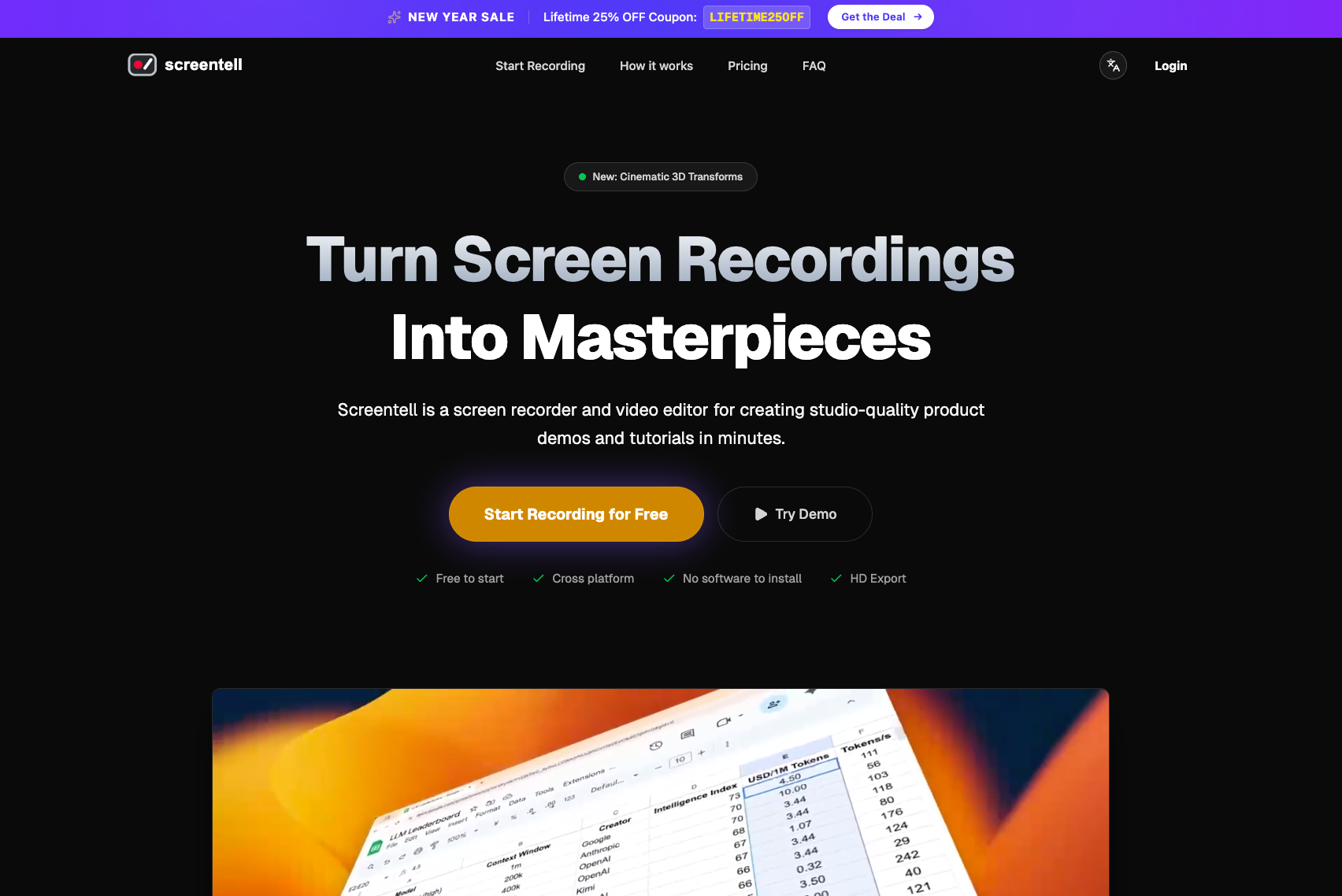
Screentell is an innovative new tool aiming to revolutionize how creators, marketers, and developers produce software demos and tutorials. Tagged as "A in-browser screen recorder featuring cinematic 3D effects," Screentell promises to elevate mundane screen captures into polished, professional video content without the headache of traditional video editing suites. Its core promise is accessibility paired with high production value, all contained within a single, lightweight browser tab.
This product squarely targets professionals who frequently need to create visual documentation—think SaaS onboarding specialists, product managers demonstrating new features, or educators building online courses. The primary use case is turning complex software walkthroughs into engaging, easy-to-digest videos. Screentell bypasses the friction points traditionally associated with video production: installation, steep learning curves, and lengthy rendering times.
The core value proposition of Screentell is simple yet powerful: delivering cinematic polish directly in your workflow. By embedding advanced visual enhancements, like 3D effects, directly into the recording and editing process, it allows users to create videos that capture attention far more effectively than standard screen recordings.
Problem & Solution: Eliminating Workflow Friction
The prevailing problem in the digital documentation space is the trade-off between speed and quality. Creating a high-quality, visually engaging product demo often requires exporting raw footage, importing it into heavy desktop software (like Premiere Pro or Camtasia), painstakingly adding annotations, perhaps some motion graphics, and then re-rendering. This process is slow, resource-intensive, and often requires dedicated design expertise.
Screentell solves this by collapsing the entire process—recording, applying 3D visual flair, editing simple cuts, and exporting—into one browser-based interface. It’s filling a distinct market gap for browser-native, high-fidelity screen recording. Unlike basic in-browser recorders that offer only raw capture, Screentell integrates specialized, attention-grabbing visual effects typically reserved for dedicated video software, making studio-quality production instantly accessible to anyone with a web browser.
Key Features & Highlights: 3D Flair in a Single Tab
The standout element differentiating Screentell from its competitors is undoubtedly the integration of cinematic 3D effects. This isn't just about adding arrows or text boxes; it implies depth and professional motion graphics applied seamlessly to screen captures, which drastically improves visual storytelling for software demos.
The "Zero Install" architecture is another major highlight. Being entirely browser-based means Screentell is instantly cross-platform—no worries about compatibility issues between Windows, macOS, or Linux environments. This universal accessibility streamlines adoption across teams. Furthermore, the workflow is designed to be intuitive: Simple Record → Edit → Export. This streamlined flow minimizes cognitive load, keeping the user focused on the content they are recording rather than the mechanics of the software itself.
Key features we see making a significant impact include:
- In-Browser 3D Effects: Instantaneous application of cinematic polish.
- Zero Installation: True cross-platform accessibility via any modern browser.
- All-in-One Flow: Integrated capture and post-production editing.
- Sticker Annotations: Tools for directing viewer attention precisely where needed.
Potential Drawbacks & Areas for Improvement
While the promise of browser-based, cinematic recording is exciting, there are inherent trade-offs to consider with any web application. The primary potential drawback centers on performance and rendering power. High-fidelity 3D effects processing is computationally expensive. If a user is on an older machine or has many tabs open, the in-browser rendering capability of Screentell might lag compared to dedicated, locally installed software.
For heavy users, the reliance on browser power could become a limitation for recording very long, complex sessions or exporting very high-resolution video files rapidly.
To enhance the product, the Screentell team might consider:
- Offline Mode Caching: Allowing users to continue editing locally even if their connection temporarily drops post-recording.
- Template Library Expansion: Offering more pre-built 3D effect templates tailored for specific use cases (e.g., code walkthroughs vs. marketing highlights).
- Advanced Audio Controls: Ensuring professional-grade microphone input mixing and noise reduction are robust within the browser environment.
Bottom Line & Recommendation
Screentell is a compelling tool that successfully merges accessibility with high-end visual presentation. If your current screen recordings feel lackluster, or if you are tired of switching between Loom and Adobe Express just to add a small visual flourish, Screentell is absolutely worth exploring.
This product is highly recommended for Product Marketing Managers, Sales Engineers, and Freelance Educators looking to drastically improve the perceived quality of their video tutorials without adding heavy software overhead to their stack. Screentell delivers on its promise of bringing cinematic polish directly into the browser ecosystem, making it a strong contender in the modern remote work toolkit.
Featured AI Applications
Discover powerful tools to enhance your productivity
MindMax
与AI互动的新方式
超越 AI 聊天,将对话转化为无限画布。结合头脑风暴、思维导图、批判性与创造性思维工具,帮助你可视化想法、高效解决问题、加速学习。
AI Slides
AI 驱动幻灯片,Markdown 魔法加持
革命性幻灯片创作,融合 AI 智能与 Markdown 灵活性 - 随处编辑,随时优化,轻松迭代。让每个想法,都能快速变成专业演示。
AI Markdown Editor
打开即写 - AI驱动的Markdown编辑器
极其高效的写作体验:AI助手、斜杠命令、极简界面。打开即用,轻松写作。✍️ Markdown简洁 + 🤖 AI强大 + ⚡ 斜杠命令 = 完美写作体验
FunBlocks AI Extension
🚀 AI驱动的浏览器扩展
用FunBlocks AI助手改变您的浏览体验。您的智能伴侣,为网络上的AI驱动阅读、写作、头脑风暴和批判性思维提供支持。