Snap Developer Dock Review: Is This the Floating Command Center Your AI Workflow Needs?
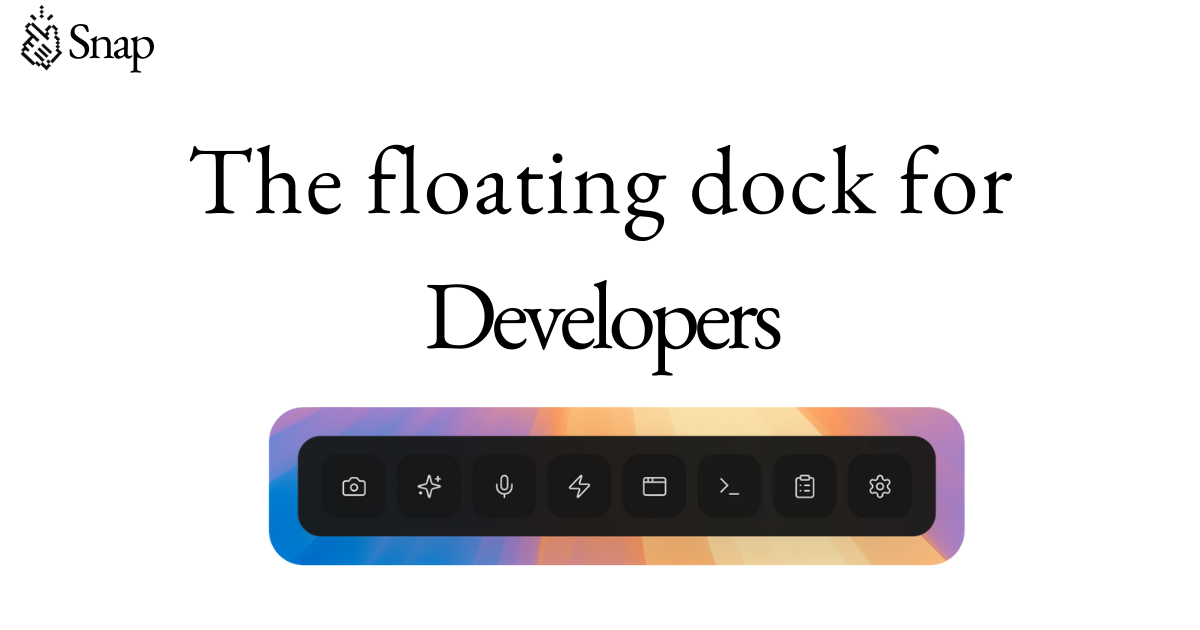
The floating dock for developers
发布时间: 2/15/2026
The landscape of software development is rapidly integrating AI assistance, but the actual interface for communicating with these powerful tools often remains clunky and context-switching heavy. Enter Snap Developer Dock, the aptly named "floating dock for developers" aiming to bridge the gap between AI models and your active coding environment. After examining its feature set, Snap promises to be a significant accelerator for engineers leveraging AI coding companions.
Product Overview: Supercharging the AI Coding Workflow
Snap Developer Dock positions itself not just as a utility, but as a dedicated overlay designed to streamline developer interaction with AI tools. In essence, it’s a customizable, persistent sidebar or floating panel that brings essential AI-centric functions directly to the forefront of your screen, regardless of which application—be it your IDE, browser, or documentation—is currently active.
This tool is clearly targeted at professional software engineers, frontend developers, and machine learning practitioners who spend significant time iterating with large language models (LLMs) for code generation, debugging, or prompt refinement. Its core value proposition is drastically reducing the friction of context switching—the known productivity killer—by making necessary inputs (like visual context or optimized prompts) instantly accessible. Having already seen adoption by over 10,000 engineers suggests it’s hitting a nerve in the market.
Problem & Solution: Bridging the Gap Between Vision and Prompting
The central problem Snap Developer Dock tackles is the inefficiency of traditional AI interaction loops. Typically, when you need an AI to work on something visual (like a UI element or a specific line of code visible on screen), you have to switch applications, capture a screenshot, perhaps crop or annotate it, paste it into a chat interface, and then manually craft a detailed prompt explaining what you want.
Snap solves this by baking these necessary steps directly into the dock. Its key differentiator appears to be the Smart Screenshot functionality with auto-numbered elements. This transforms visual debugging or specification from a manual chore into a near-instantaneous, actionable input for the AI. Instead of describing where "that button" is, you can simply point and click, letting Snap handle the heavy lifting of context capture and prompt optimization.
Key Features & Highlights: Speed and Visual Fidelity
The feature set within the Snap Developer Dock reads like a wish list compiled from power users of developer tools. Speed and rich input modalities seem to be the focus areas.
The standout features include:
- Smart Screenshots with Auto-Numbered Elements: Crucial for precise visual instruction to AI models, eliminating ambiguity in prompts about screen elements.
- Under 200ms Prompt Optimization: Speed is paramount in development iteration. If Snap can truly refine user inputs this quickly, it dramatically improves the responsiveness of the AI feedback loop.
- Voice Input: Offering an alternative input method when hands are occupied or context needs to be rapidly dictated.
- Visual CSS Editing: A fantastic feature for frontend developers, allowing for direct manipulation feedback within the floating dock interface.
- Custom Automation Buttons: This speaks directly to power users, enabling the creation of personalized macros that combine capturing context with specific, multi-step prompts.
The user experience seems geared toward seamless integration; by floating persistently over the workspace, Snap ensures that the intelligence of the AI is never more than a click or a voice command away, minimizing cognitive load.
Potential Drawbacks & Areas for Improvement
While the promises of Snap Developer Dock are exciting, any review must address potential friction points. The primary concern with any floating overlay tool is screen real estate management. In smaller resolutions or on laptops, a persistent dock, no matter how slim, can obscure vital parts of the IDE or terminal. Developers will need robust customization options for transparency, dock position, and collapse states.
Furthermore, while prompt optimization is mentioned, the specifics of which LLMs are supported and how the optimization is weighted are crucial. Does it default to GPT-4 or Claude, or is it customizable? For a tool deeply integrated into the workflow, granular control over the underlying model API keys and associated costs will be essential for enterprise adoption. Improving documentation around supported integrations and providing more configuration for the custom automation would enhance its stickiness.
Bottom Line & Recommendation
Snap Developer Dock feels like a necessary evolution for developers actively integrating AI into their daily tasks. It successfully transforms the AI interface from an external chat window into an active, context-aware part of the workstation.
Who should try this product? Any frontend developer, UI/UX engineer, or backend developer frequently using AI for task generation or debugging where visual context is key, should absolutely give Snap a look. If you spend more than 30% of your time asking an AI to refine code, the potential time savings offered by the smart screenshot and rapid optimization features make the Snap Developer Dock a highly recommended trial. It’s building the specialized command center that modern AI-augmented engineering demands.
Featured AI Applications
Discover powerful tools to enhance your productivity
MindMax
与AI互动的新方式
超越 AI 聊天,将对话转化为无限画布。结合头脑风暴、思维导图、批判性与创造性思维工具,帮助你可视化想法、高效解决问题、加速学习。
AI Slides
AI 驱动幻灯片,Markdown 魔法加持
革命性幻灯片创作,融合 AI 智能与 Markdown 灵活性 - 随处编辑,随时优化,轻松迭代。让每个想法,都能快速变成专业演示。
AI Markdown Editor
打开即写 - AI驱动的Markdown编辑器
极其高效的写作体验:AI助手、斜杠命令、极简界面。打开即用,轻松写作。✍️ Markdown简洁 + 🤖 AI强大 + ⚡ 斜杠命令 = 完美写作体验
FunBlocks AI Extension
🚀 AI驱动的浏览器扩展
用FunBlocks AI助手改变您的浏览体验。您的智能伴侣,为网络上的AI驱动阅读、写作、头脑风暴和批判性思维提供支持。