Velo Review: Transform Your Screen Recordings into Engaging Content with AI
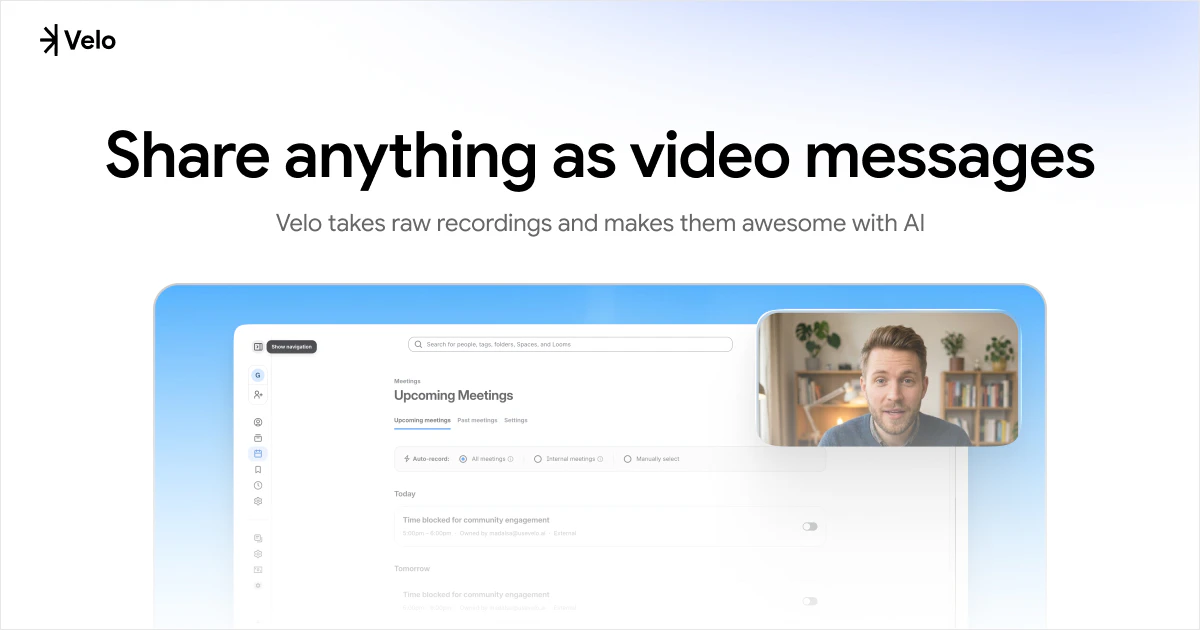
Share anything as video messages
发布时间: 4/8/2026
Product Overview
In the age of remote work and digital communication, screen recording has become an essential tool for tutorials, feedback, and project updates. However, the gap between a raw, unedited recording and a high-quality, professional video is often filled with tedious manual editing hours. Enter Velo, a smart video platform designed to turn raw screen captures into polished, watch-worthy content using the power of AI.
Velo is built for professionals, creators, and teams who need to communicate ideas quickly without the friction of complex video editing software. Whether you are creating internal documentation, onboarding videos for new hires, or feature demonstrations for customers, Velo streamlines the workflow by automating the cleanup process. It effectively targets anyone who finds traditional video editing software like Premiere Pro or Camtasia too cumbersome for quick, everyday communication.
Problem & Solution
The primary problem with screen recording is "noise." Most raw recordings are filled with awkward pauses, "umms," mouse jitters, and irrelevant segments that distract the viewer. Traditional solutions force the user to manually clip these sections or leave the video in a messy, unprofessional state, which significantly lowers engagement and perceived value.
Velo solves this by acting as an intelligent layer between your screen recording and the final shareable asset. By leveraging AI to trim dead air, smooth out transitions, and highlight the most important parts of the recording, Velo fills the market gap between "recording software" and "professional video production suite." It turns screen recording from a chore into a seamless, automated process, ensuring your message remains clear and professional.
Key Features & Highlights
Velo distinguishes itself through its focus on "ready-to-share" outcomes. It isn’t just a screen recorder; it is an editor that understands the context of your video. Notable features include:
- AI-Driven Editing: Automatically detects and removes unnecessary segments, long pauses, and filler words, tightening the runtime without sacrificing clarity.
- Smart Enhancement: Smooths out jagged cursor movements and enhances visual focus, making the screen content much easier to follow for the audience.
- One-Click Sharing: Once the AI finishes its pass, the video is ready for immediate distribution, often providing integrated hosting or easy export options to Slack, email, or project management tools.
- Streamlined User Interface: The product prioritizes a minimalist workflow, ensuring that users can go from "Stop Recording" to "Send Link" in a fraction of the time required by traditional methods.
The user experience is centered on friction reduction. By handling the heavy lifting of audio-visual cleanup, Velo allows the creator to focus entirely on the content of the message rather than the technical aspects of the medium.
Potential Drawbacks & Areas for Improvement
While Velo is an impressive tool for productivity, it is currently in its early stages. A potential limitation for advanced users is the lack of manual control over the AI's editing decisions; sometimes, an automated trim might remove a section that the user actually wanted to keep. Introducing a simple "undo" or "re-insert" feature for specific clips would add significant value.
Furthermore, as the product matures, incorporating more advanced annotation tools—such as automated zoom-ins on specific UI elements or the ability to add stock overlays—would elevate Velo from a "cleanup tool" to a full-scale "communication assistant." Integration with more third-party platforms beyond standard share links would also satisfy the needs of enterprise-level teams.
Bottom Line & Recommendation
Velo is a game-changer for anyone who regularly uses screen recordings to convey information. If you find yourself wasting hours trimming dead space out of your Loom videos or apologizing for the low production quality of your internal tutorials, Velo is the solution you’ve been waiting for. It is best suited for product managers, customer success teams, and software developers who prioritize speed and clarity over cinematic flair. Overall, Velo turns a mundane administrative task into a high-impact communication skill, and it comes highly recommended for those looking to level up their remote collaboration efficiency.
Featured AI Applications
Discover powerful tools to enhance your productivity
MindMax
与AI互动的新方式
超越 AI 聊天,将对话转化为无限画布。结合头脑风暴、思维导图、批判性与创造性思维工具,帮助你可视化想法、高效解决问题、加速学习。
AI Slides
AI 驱动幻灯片,Markdown 魔法加持
革命性幻灯片创作,融合 AI 智能与 Markdown 灵活性 - 随处编辑,随时优化,轻松迭代。让每个想法,都能快速变成专业演示。
AI Markdown Editor
打开即写 - AI驱动的Markdown编辑器
极其高效的写作体验:AI助手、斜杠命令、极简界面。打开即用,轻松写作。✍️ Markdown简洁 + 🤖 AI强大 + ⚡ 斜杠命令 = 完美写作体验
FunBlocks AI Extension
🚀 AI驱动的浏览器扩展
用FunBlocks AI助手改变您的浏览体验。您的智能伴侣,为网络上的AI驱动阅读、写作、头脑风暴和批判性思维提供支持。