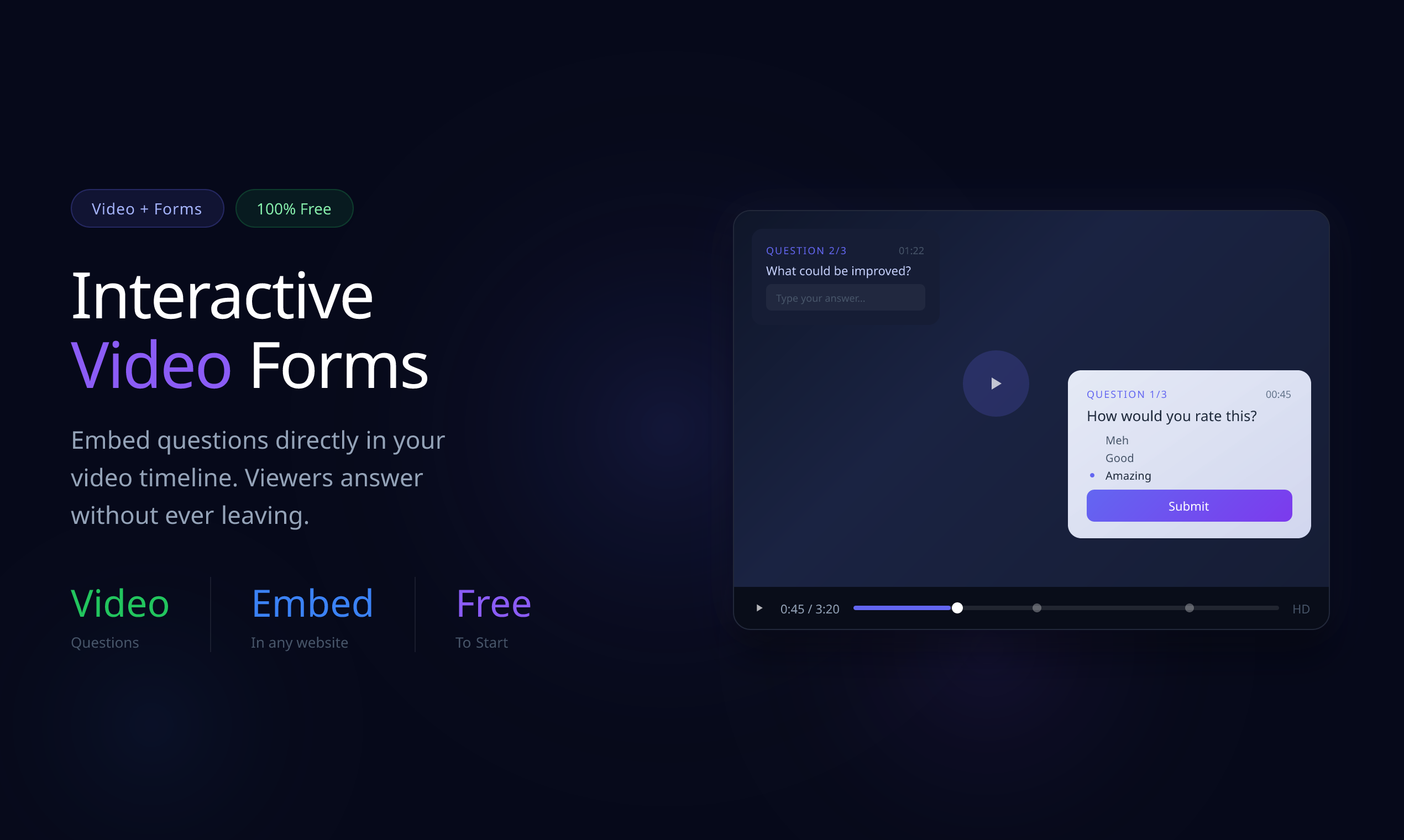
Video Forms: Revolutionizing Feedback Collection by Embedding Questionnaires Directly Inside Your Videos
Embed questionnaires in videos to create interactive forms
发布时间: 2/10/2026
Product Overview
Video Forms is a groundbreaking tool designed to bridge the persistent gap between video content consumption and meaningful feedback collection. Its core innovation lies in its ability to let creators embed interactive questionnaires directly inside the video timeline, transforming passive viewing into active engagement. This isn't just about linking to a separate survey after the video ends; it’s about asking the right question at the exact moment context is highest.
This product targets professionals reliant on video for communication and data gathering: UX researchers needing granular feedback on product demos, customer success teams managing complex video onboarding, marketers running interactive tutorials, and educators seeking real-time comprehension checks. The central value proposition of Video Forms is clear: maximize insight quality by capturing responses precisely when the viewer is processing the relevant information, leading to significantly higher completion rates and richer, contextual data.
Problem & Solution
The traditional method of gathering feedback on video content is inherently flawed. Creators typically present information via video, then direct viewers to an external link (like a Google Form or SurveyMonkey) to answer related questions. This process introduces friction—the viewer must leave the video, recall the preceding context, and manually navigate the external form. This "context switching" often leads to drop-off, vague answers, or forgotten details, severely compromising data integrity.
Video Forms solves this by dissolving that external dependency. By embedding questions that appear contextually within the playback, the viewer stays locked into the experience. Furthermore, the ability to allow viewers to skip ahead based on their answers introduces dynamic routing previously only possible in dedicated, complex survey software. This integration fills a significant market gap, offering a streamlined, high-fidelity method for interactive video feedback that standard video hosting platforms cannot match.
Key Features & Highlights
The functionality packed into Video Forms is focused squarely on enhancing data quality and user experience. The most powerful feature is the precise time-stamping of questions. Imagine showcasing a new feature in a software demo; a question about that feature can pop up precisely as it's being demonstrated, ensuring the viewer's memory is fresh.
Key highlights that set Video Forms apart include:
- Contextual Question Placement: Pinpoint feedback requests to specific moments in the video narrative.
- Dynamic Viewing Paths: Logic branching allows viewers to skip sections irrelevant to their experience based on their input, respecting the viewer's time—crucial for complex onboarding or long demos.
- Seamless Integration: The entire experience feels native to the video player, minimizing friction often associated with external survey tools.
The result is a superior user experience for the respondent and substantially more accurate, actionable insights for the creator, making Video Forms an essential tool for any serious video research or training initiative.
Potential Drawbacks & Areas for Improvement
While the core concept of Video Forms is brilliant, there are a few areas where early adopters might find friction or areas for future growth. Without seeing the backend analytics, a key area for improvement would be robust post-interaction data visualization. Collecting high-quality, time-stamped feedback is only half the battle; the ability to easily filter, segment, and overlay this data onto the video timeline itself in the analytics dashboard will be crucial for maximizing its value proposition.
Secondly, expanding the range of interactive elements beyond standard questionnaires would enhance its utility. For instance, allowing embedded hotspots or simple annotation requests directly on the video frame, rather than just through a formal question block, could further boost user interaction in areas like visual design review. Considering platform integrations (e.g., Zapier, CRM tools) would also cement its position as an enterprise-ready solution.
Bottom Line & Recommendation
Video Forms is a powerful and timely innovation in the rapidly growing world of interactive video content. For product managers, UX researchers, and technical trainers who are currently frustrated by the disconnect between their video assets and actionable user data, this tool is a must-try. It effectively tackles the core issue of context decay in digital feedback loops. If your goal is to move beyond passive video consumption to true, measurable engagement, Video Forms offers a compelling, elegantly designed solution that belongs in your toolkit. It’s time to stop asking for feedback around your videos and start embedding it within them.
Featured AI Applications
Discover powerful tools to enhance your productivity
MindMax
与AI互动的新方式
超越 AI 聊天,将对话转化为无限画布。结合头脑风暴、思维导图、批判性与创造性思维工具,帮助你可视化想法、高效解决问题、加速学习。
AI Slides
AI 驱动幻灯片,Markdown 魔法加持
革命性幻灯片创作,融合 AI 智能与 Markdown 灵活性 - 随处编辑,随时优化,轻松迭代。让每个想法,都能快速变成专业演示。
AI Markdown Editor
打开即写 - AI驱动的Markdown编辑器
极其高效的写作体验:AI助手、斜杠命令、极简界面。打开即用,轻松写作。✍️ Markdown简洁 + 🤖 AI强大 + ⚡ 斜杠命令 = 完美写作体验
FunBlocks AI Extension
🚀 AI驱动的浏览器扩展
用FunBlocks AI助手改变您的浏览体验。您的智能伴侣,为网络上的AI驱动阅读、写作、头脑风暴和批判性思维提供支持。