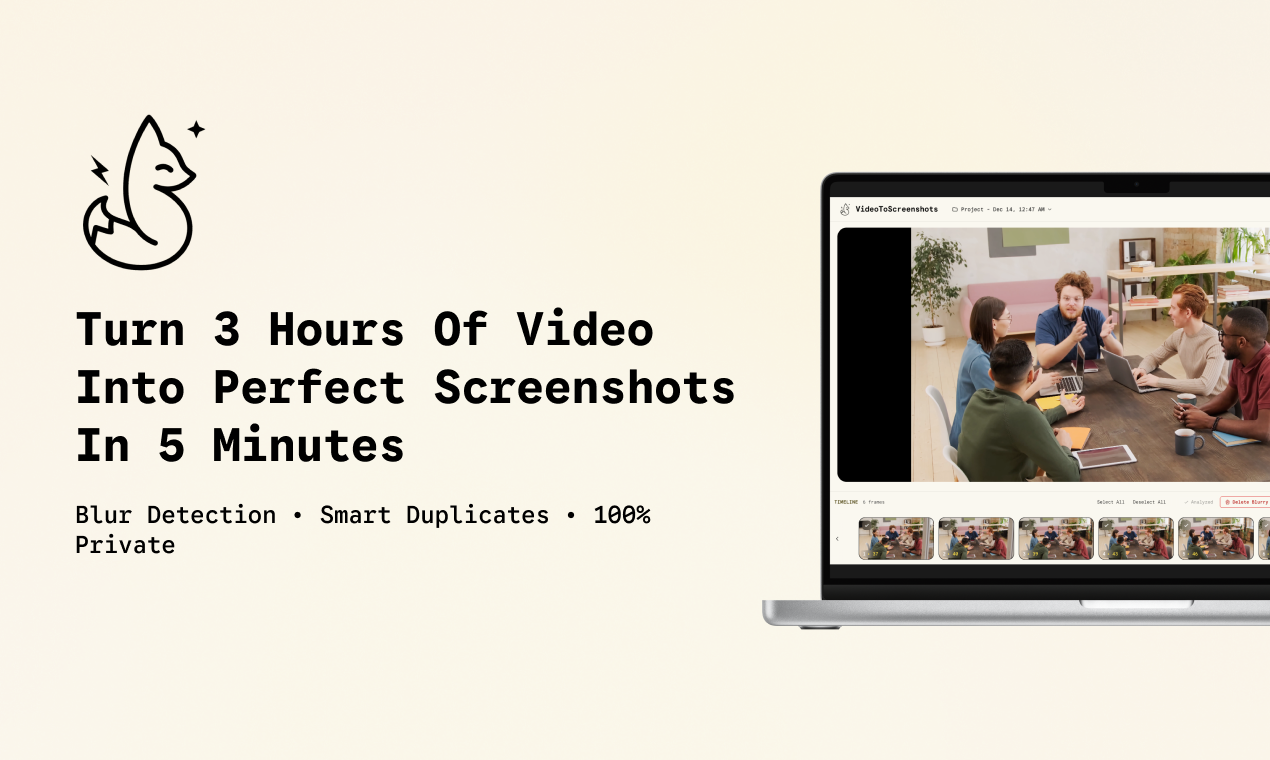
Video to Screenshots: The Automated Solution for Perfect Frame Extraction
Turn videos into perfect screenshots automatically
发布时间: 12/23/2025
Product Overview
Video to Screenshots is a compelling new utility designed to solve the age-old headache of manually scrubbing through long video files to capture that one perfect frame. In essence, this tool acts as an intelligent video analysis engine, automating the process of turning raw video footage into a curated collection of high-quality static images. Its core mission is simple yet powerful: maximize extraction efficiency while minimizing manual labor.
This product is primarily aimed at content creators, marketing professionals managing visual assets, quality assurance testers, educators using video tutorials, and anyone dealing with extensive video archives that require visual sampling. Use cases range from quickly creating thumbnails or social media teasers from long-form content to cataloging specific moments within security footage or research videos. The core value proposition of Video to Screenshots lies in its speed and intelligence—it doesn't just clip frames; it refines them.
What sets this tool apart immediately is its commitment to privacy and accessibility. By offering local processing and a generous free-to-start tier, it lowers the barrier to entry for users wary of cloud-based video processing or those handling sensitive material. It promises to convert hours of footage into actionable visual data in mere minutes.
Problem & Solution
The traditional methods for extracting screenshots from video—such as pausing, hitting print screen, and then manually editing—are notoriously time-consuming, imprecise, and often result in poor quality or unwanted repetitive frames. For professionals needing hundreds of sample shots from hours of lectures or webinars, this process is a severe bottleneck. Furthermore, standard extraction methods often capture frames that are motion-blurred or visually indistinguishable from the previous one.
Video to Screenshots addresses these pain points through sophisticated automation. Instead of brute-forcing every frame, it intelligently scans the footage, applying built-in filters to ensure only valuable, crisp shots are kept. The market gap it fills is the lack of a truly 'smart' local extraction tool. Many existing solutions require heavy cloud uploads or lack the necessary filtering capabilities to deliver a clean, curated final output without significant post-processing.
Key Features & Highlights
The feature set of Video to Screenshots is centered around intelligent refinement and bulk processing. The ability to auto-extract frames at intervals is crucial for large files, allowing users to dictate the frequency of capture without monitoring the entire duration.
The two standout features that dramatically enhance the output quality are:
- Blur Detection Filters: This is a game-changer for usability. By actively filtering out blurry or indistinct shots, the tool ensures that the resulting screenshot collection is immediately usable, saving significant curation time later.
- Smart Duplicate Removal: This feature optimizes the final collection, preventing dozens of nearly identical frames from cluttering the output, leading to a much cleaner, more diverse set of visuals.
Furthermore, the promise of unlimited projects and 100% private, local processing provides immense peace of mind for users handling proprietary or sensitive video assets. This dedication to user control elevates the tool beyond simple frame capture.
Potential Drawbacks & Areas for Improvement
While the initial offering of Video to Screenshots is robust, there are always opportunities for enhancement, particularly as the product matures. Given that the focus is on automation, one area for potential improvement is offering more granular control over the definition of "good quality."
While blur detection is excellent, future iterations could benefit from:
- Subject/Object Detection Presets: Allowing users to specify key elements (e.g., "only capture when a person is clearly visible" or "capture only high-contrast scenes").
- Output Format Flexibility: While screenshots are the focus, offering easy export options beyond standard JPG/PNG (perhaps into lightweight GIF sequences for specific frames) could broaden its appeal for quick visual proofs.
- Batch Processing Enhancements: Improving the UI/UX for queuing and monitoring very large batches of videos simultaneously could be beneficial for enterprise-level users.
The current reliance on local processing is a strength for privacy but may present a limitation for users needing cross-device synchronization or cloud backup of their resulting image sets (though this is likely by design).
Bottom Line & Recommendation
Video to Screenshots is an incredibly valuable utility for anyone frequently working with video assets who needs speed and quality in frame extraction. If you are tired of manually pausing videos and dealing with blurry noise, this tool is a strong contender.
I highly recommend Video to Screenshots to content marketers, researchers, and digital archivists. Its combination of intelligent filtering (blur detection, duplicate removal) and commitment to local privacy makes it a highly efficient and trustworthy asset for streamlining visual workflow. Try the free tier; you'll likely find that converting hours of footage into actionable images is now achievable in the time it takes to grab a coffee.
Featured AI Applications
Discover powerful tools to enhance your productivity
MindMax
与AI互动的新方式
超越 AI 聊天,将对话转化为无限画布。结合头脑风暴、思维导图、批判性与创造性思维工具,帮助你可视化想法、高效解决问题、加速学习。
AI Slides
AI 驱动幻灯片,Markdown 魔法加持
革命性幻灯片创作,融合 AI 智能与 Markdown 灵活性 - 随处编辑,随时优化,轻松迭代。让每个想法,都能快速变成专业演示。
AI Markdown Editor
打开即写 - AI驱动的Markdown编辑器
极其高效的写作体验:AI助手、斜杠命令、极简界面。打开即用,轻松写作。✍️ Markdown简洁 + 🤖 AI强大 + ⚡ 斜杠命令 = 完美写作体验
FunBlocks AI Extension
🚀 AI驱动的浏览器扩展
用FunBlocks AI助手改变您的浏览体验。您的智能伴侣,为网络上的AI驱动阅读、写作、头脑风暴和批判性思维提供支持。